> For the complete documentation index, see [llms.txt](https://docs.arkis.xyz/home/llms.txt). Markdown versions of documentation pages are available by appending `.md` to page URLs; this page is available as [Markdown](https://docs.arkis.xyz/home/how-to/margin-call-and-liquidation-alerts.md).
# Margin Call & Liquidation Alerts
This page describes how configure Telegram bot to receive Arkis Alerts
Arkis allows you to configure several thresholds to keep you informed about potential liquidation risks, including **Margin Call** and **Liquidation** alerts.
* **Margin Call Alert:** This is set to a predefined threshold and serves as an informational message, warning you that the risk factor of your margin account is decreasing. If not addressed, this could lead to liquidation. The **Margin Call** threshold is typically pre-agreed with the Arkis management team and can be updated at any time upon request.
* **Liquidation Alert:** If the risk factor reaches the critical safety threshold, Arkis will generate a signal to notify you that the liquidation process has been initiated. The liquidation threshold is usually set to 1.0.
{% hint style="warning" %}
We highly recommend topping up your account as soon as you receive a Margin Call Alert.
{% endhint %}
## How to set up Telegram notifications for Arkis alerts
1. Open Telegram and create a new group, or select an existing one, where you want to receive Arkis alerts.
2. Add the [ArkisNotifier](https://t.me/ArkisNotifierBot) bot to the group.
3. Add the [RawDataBot](https://t.me/raw_data_bot) bot to the group. This bot will send a message containing the `chat id` value. Copy this message and send it to Arkis.
4. Copy the **Margin Account** addresses for which you want to receive Telegram alerts and send them to Arkis.
## How to add telegram bots to the group?
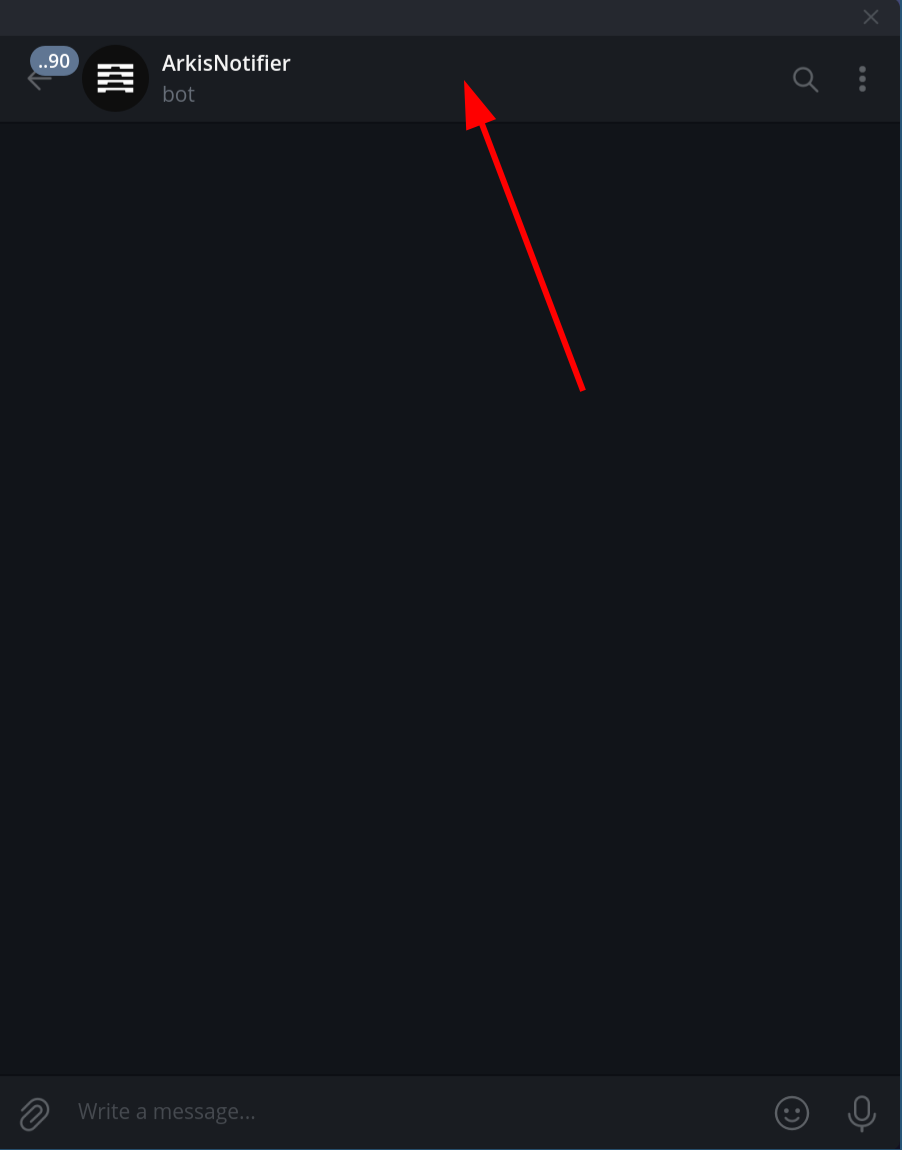
1. Open the bot in the Telegram and click on the top bar.
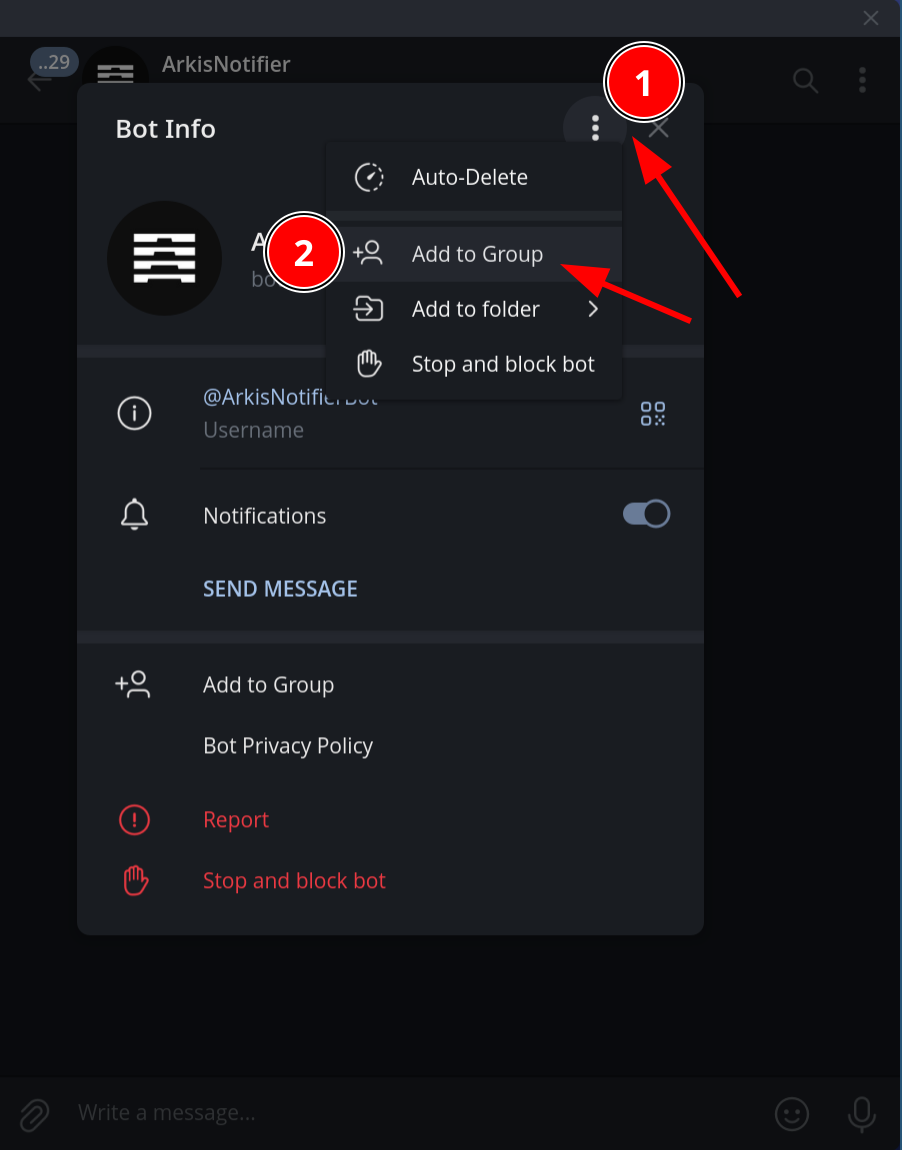
2. Then click on three vertical dots in the opened window and click the “Add to Group” button.
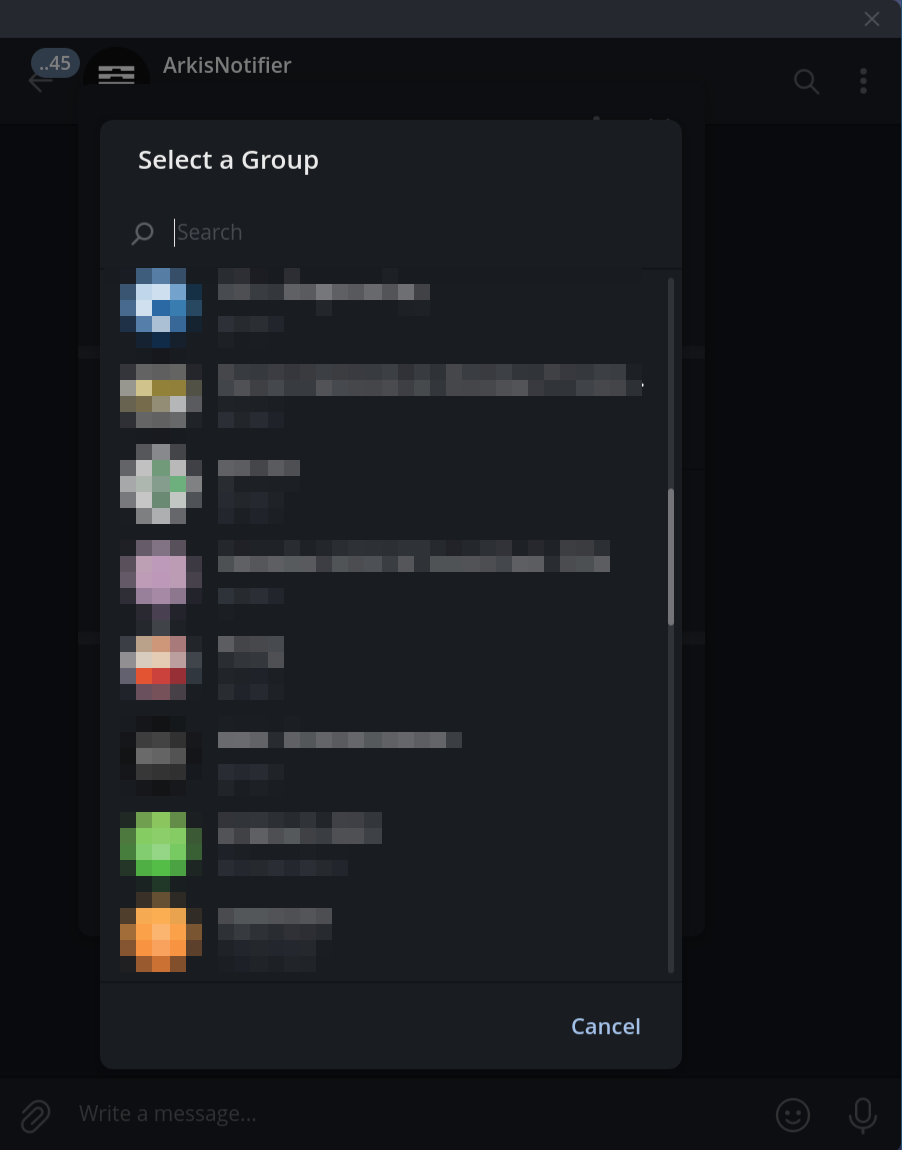
3. Find and select your group in the opened window.
4. Click “Ok” in the confirmation dialog.
## Where to find the Margin Account address
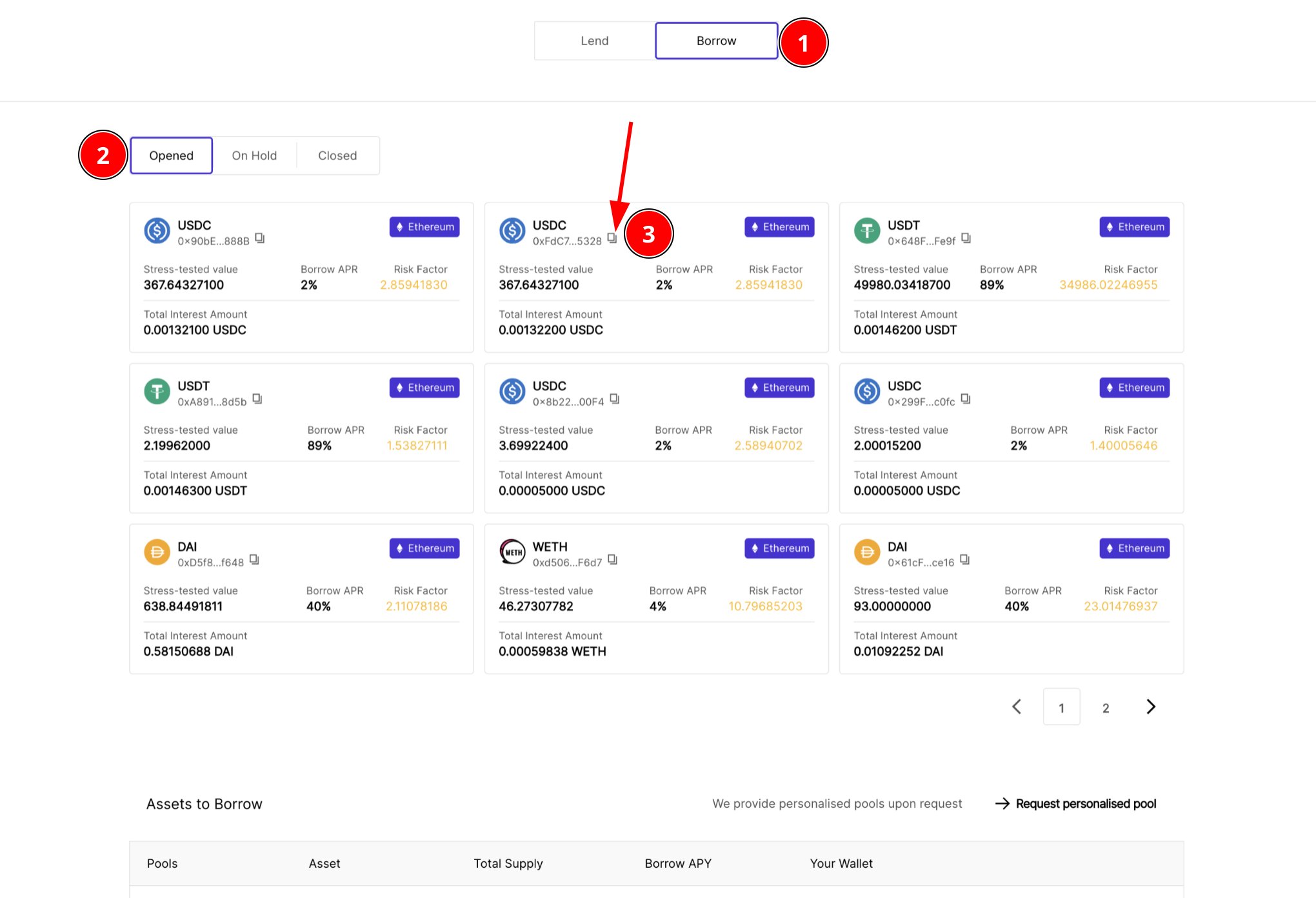
On the “Borrow” tab (1), choose “Opened” tab (2). Here, you can see all your opened Margin Accounts. Click the “Copy address” button (3) to copy the Margin Account address.